01 / WARGMAutomatic delivery of purchases
Connect the Wargm store and customize what the player receives for each item. Purchases are processed automatically: items and other customized rewards, including VIP. In the panel, the issuance rules and transaction history.
02 / GAMESTORESAnother store to choose from
Gamestores connectivity as an alternative to Wargm. Match store merchandise with the rewards on the server, choose an automatic issue or receive by the player on command. Integration is customized by your store data.
03 / VIPSpecial conditions for VIP
Separate Starter and Daily Kits, Battlepass VIP Awards, Home Point Limits, Scanning, Renting and Loot Collecting Conditions. Set up VIP Levels and Terms. Buying Wargm Linked Products gives you status; renewal can add days to the remaining deadline.
04 / SETHOMEReturn to your base
The player saves a home point with /sethome inside the flag of his unit and returns to it through /homeBy default, teleportation is available once an hour, and the interval and the limit of points, including for VIP, are set in the panel.
05 / WARZONEOne command, multiple destinations
Create. /travel warzone And you can specify a number of coordinates, like ten. Each teleporter, the server randomly selects one of those coordinates. One coordinate is always the same. You can prepare several of those directions for future events.
06 / TRANSLATORCommunication in different languages
Automatic translation of game chat and module responses into the player's chosen language. Russian, English, Ukrainian, German, Chinese and other languages from the panel settings. The owner connects the translation service and selects available languages.
View the list of languages ↓
07/STATISTICSUp to head hits
Observe players: kills, deaths, game time, shots, hits, and headshots, and other available SCUM metrics. Player card and log help to sort out events. Shows the data that the game transmits.
08 / STARTER KITSHelp at the start of the game
Collect the starter kit: specify items, quantity and terms of receipt. Set up additional VIP items and bonuses separately from the regular set.
09 / DAILY AND BATTLEPASSReturn awards
Daily sets with customizable interval and composition. For VIP - your own items, bonuses and waiting time. Battlepass complements them with rewards for days of logging into the server.
10 / COLLECTING LOOTFrom the ground to the right chests.
Command /loot It collects objects around its flag and distributes them to specified chests. Set up the rules of sorting, radius, limits and spacing. Access is checked by the flag owner and his squad; there are separate conditions for VIP.
11 / KILL FEEDThe murder tape.
Homicide history and related game events in the dashboard, browse participants and available details to monitor server activity and debunk contentious situations.
12 / MINE PROTECTIONControl of mine emplacement
Control mines and traps placed outside your flag zone. Choose to alert or move the intruder to your own mine after a given number of warnings. Types of traps, exceptions and messages are customized in the panel.
13 / SECTOR SCANWho's there?
The player receives information about the players in their sector, the owner sets the cost of scanning, spacing, displaying names and access rights, and you can set separate conditions for VIPs.
14 / CONTROLPlayers and server at hand
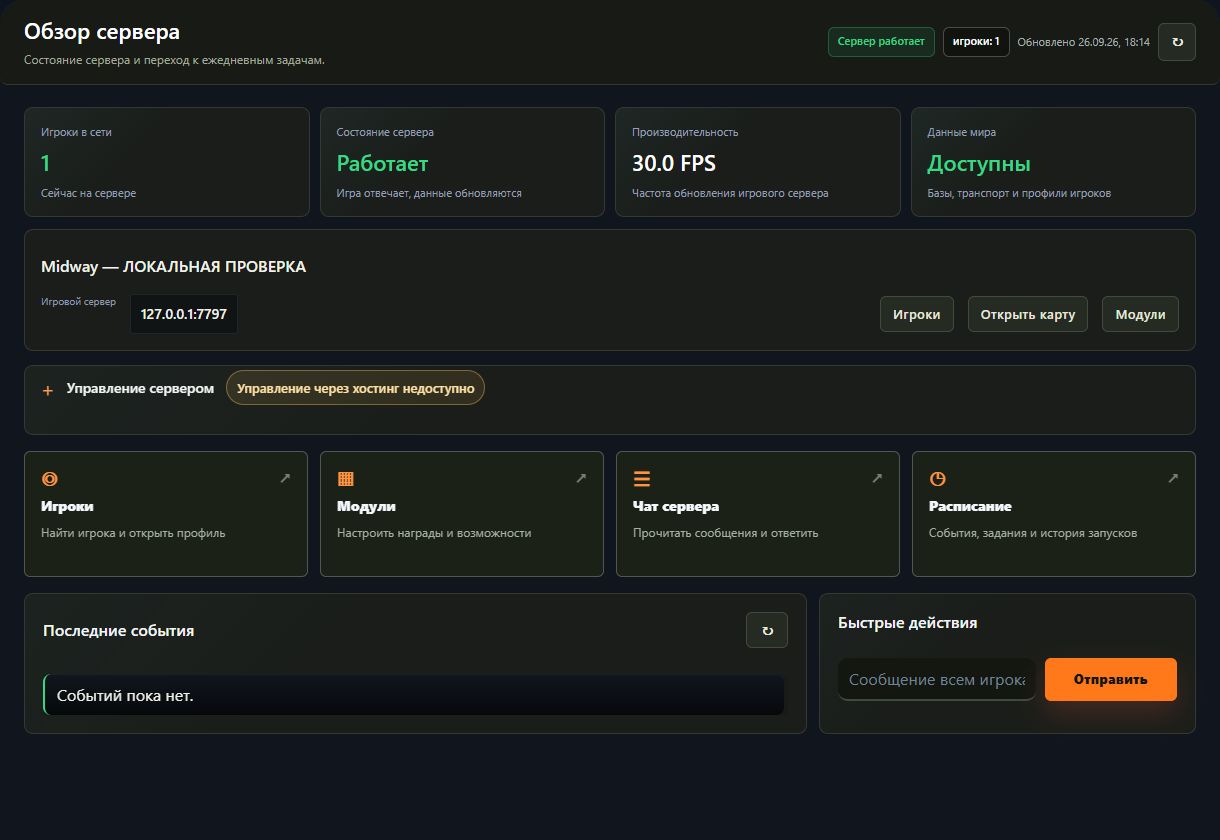
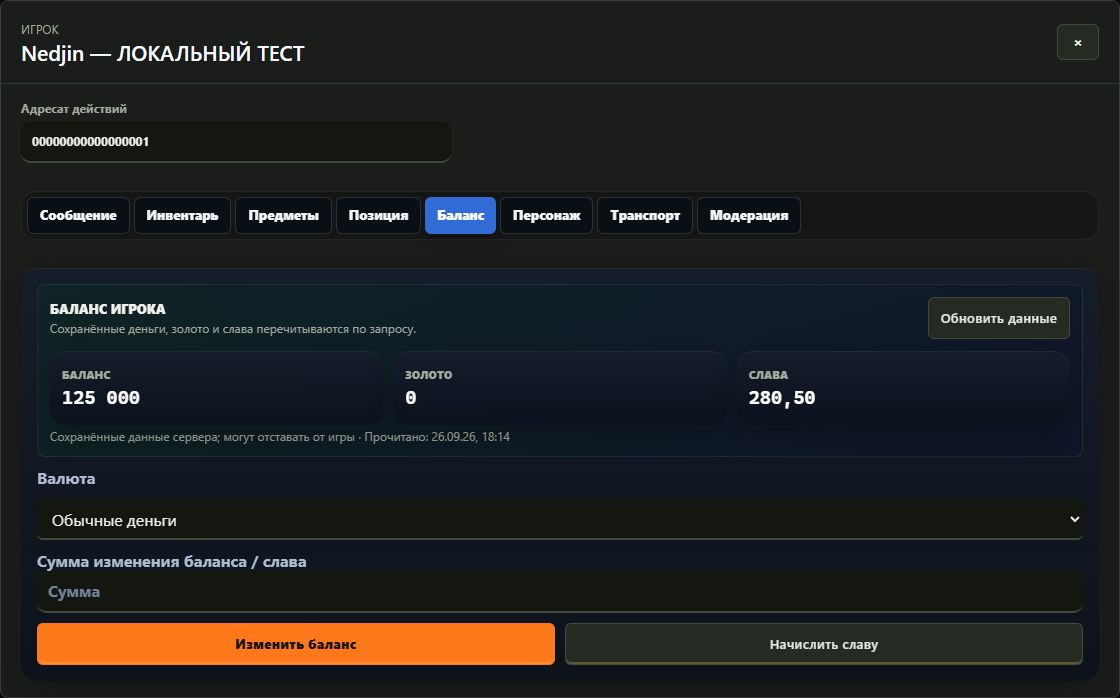
Server status, performance and recent events: Name and SteamID search, player cards, items, balance, transportation and moderation. Chat, ads and action log are all in one panel.
15 / ECONOMY AND EVENTSSet up your rules.
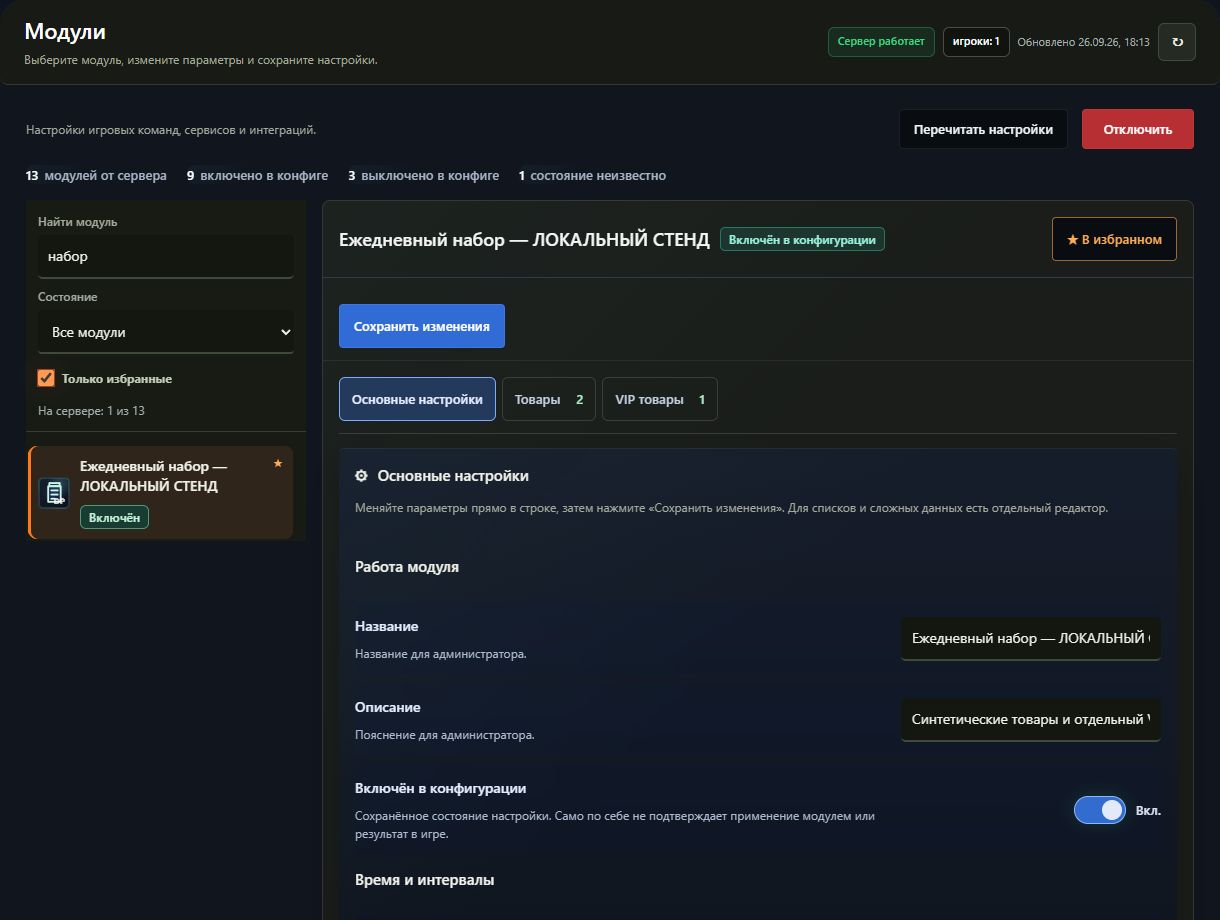
Transfers between players, rentals of transport, improvement of items, quests and schedules. Create points of occurrence of items with a set of random coordinates, interval and minimum number of players online. The necessary modules can be turned on and off separately.
Commands are executed by server components. The availability of a specific action depends on the SCUM build, installed modules and administrator rights; before connecting, check compatibility.
 MIDWAY